Environment Diff
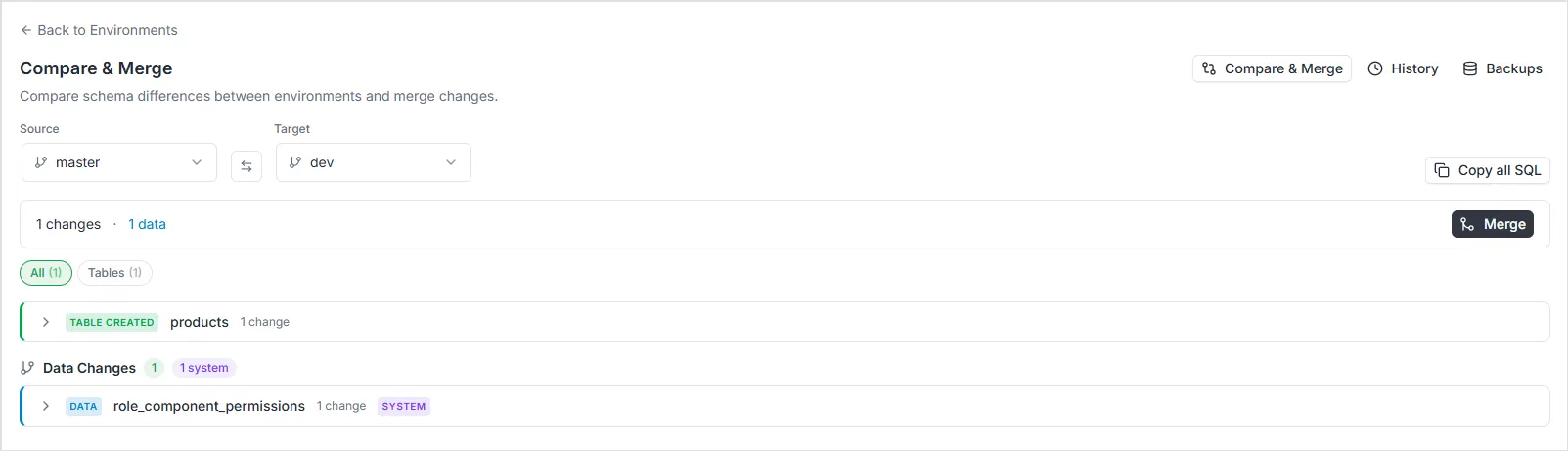
The Environment Diff feature allows you to compare the database schemas of two environments side by side. This is useful for understanding what schema changes have been made in a branch before merging it back into its parent, or for auditing structural differences between any two environments.
How Diff Works
Section titled “How Diff Works”The comparison engine identifies structural differences between environments in three stages:
- Schema Analysis: The system introspects both the source and target environments to understand their full structure — including tables, columns, indexes, constraints, and relationships.
- Comparison: The two structures are compared following forward-only semantics (explained below). The engine identifies exactly which changes from the source environment are missing in the target.
- Migration Generation: For every detected change, the system automatically generates the corresponding SQL commands required to apply that change to the target environment safely.
Forward-Only Diff Semantics
Section titled “Forward-Only Diff Semantics”The diff engine uses forward-only semantics. This means:
- Objects that exist in source but NOT in target → shown as
CREATED(they need to be created in target) - Objects that exist in BOTH → compared field by field, differences shown as modifications
- Objects that exist ONLY in target → NOT shown as
DROPPED
This is an important design decision. If a table exists only in the target environment, it was never present in the source. Showing it as TABLE_DROPPED would be misleading because no drop operation was ever performed in the source. The diff focuses exclusively on changes that originated in the source and need to be propagated to the target.
Exception: For column-level changes within tables that exist in both environments, COLUMN_DROPPED IS detected because it represents an actual column removal operation performed in the source.
Change Types
Section titled “Change Types”The diff engine detects the following categories of schema changes:
| Change Type | Description | Breaking |
|---|---|---|
TABLE_CREATED | A table exists in source but not in target | No |
COLUMN_ADDED | A new column was added to a table in source | No |
COLUMN_DROPPED | A column exists in target but was removed in source | Yes |
COLUMN_TYPE_CHANGED | A column’s data type was modified | Depends* |
COLUMN_NULLABLE_CHANGED | A column’s nullable constraint was toggled | Depends |
COLUMN_DEFAULT_CHANGED | A column’s default value was modified | No |
INDEX_CREATED | A new index was added | No |
INDEX_DROPPED | An index was removed | No |
ENUM_CREATED | A new enum type exists in source but not in target | No |
ENUM_VALUE_ADDED | A new value was added to an enum | No |
ENUM_VALUE_REMOVED | A value was removed from an enum | Yes |
VIEW_CREATED | A view exists in source but not in target | No |
VIEW_MODIFIED | A view’s SQL definition was changed | No |
RELATIONSHIP_ADDED | A new foreign key relationship was added | No |
RELATIONSHIP_DROPPED | A foreign key relationship was removed | Yes |
* Type narrowing (e.g., text → varchar(50) or int8 → int4) is classified as breaking because it may cause data loss. Type widening (e.g., varchar → text) is classified as safe.
Note: Top-level TABLE_DROPPED, ENUM_DROPPED, and VIEW_DROPPED are not generated by the forward-only diff. Objects existing only in the target are not considered “dropped” from the source perspective.
Cherry-Pick Selection
Section titled “Cherry-Pick Selection”The diff view supports selective change application. Users can:
- Select or deselect individual changes using checkboxes
- Select or deselect all changes within a group (e.g., all changes for a specific table) using the group checkbox
- Breaking changes (destructive) are not pre-selected by default — the user must explicitly opt in
Only selected changes will be included when applying the merge.
GraphQL API
Section titled “GraphQL API”Query: environmentDiff
Section titled “Query: environmentDiff”query EnvironmentDiff($input: EnvironmentDiffInput!) { environmentDiff(input: $input) { success message changes { changeType objectType objectName fieldName oldValue newValue isBreaking sql } summary { totalChanges breakingChanges addedTables droppedTables modifiedTables } }}Variables:
{ "input": { "projectId": "f7e4a264-d659-4719-91e8-c2d74654e529", "sourceEnvironment": "master", "targetEnvironment": "staging" }}Understanding the Diff Output
Section titled “Understanding the Diff Output”Each entry in the changes array represents a single schema change with the following fields:
changeType: One of the change type identifiers listed above.objectType: The kind of database object affected (table,column,index,enum,view,relationship).objectName: The name of the affected object (e.g., the table name).fieldName: For column-level changes, the name of the specific column.oldValue/newValue: The before and after values for modifications (e.g.,"varchar(255)"→"text").isBreaking: A boolean indicating whether this change could cause data loss or API breakage.sql: The generated DDL statement to apply this change.