变量
为了避免在使用 GraphQL 时对所有值进行硬编码,API Explorer 提供了一个变量部分,可以在其中添加 JSON 对象。JSON 对象的顶级键作为变量提供,其名称以美元符号表示($KEY_NAME)。这在编写和测试动态查询、变更和订阅时提供了更愉快的开发体验。
GraphQL 变更
Section titled “GraphQL 变更”query MyQuery1 ($domain: String) { students( filter: { email: { contains: $domain } } ) { items { id firstName email } }}{ "domain": "example.com"}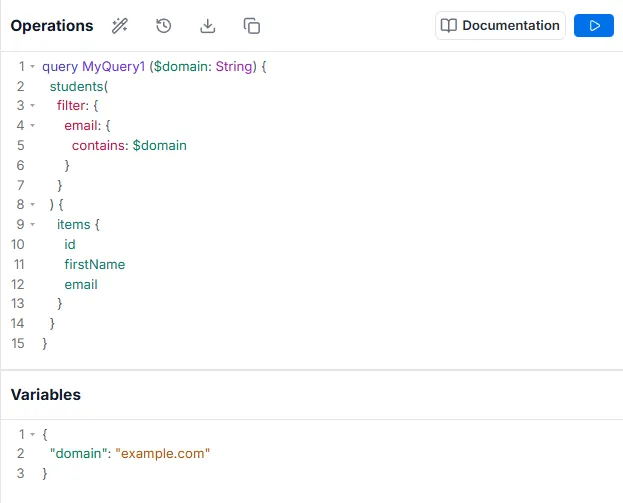
在向 GraphQL 服务器提交请求时,可能需要添加一些动态输入,同时保持操作文档不变。这些是您的操作变量。变量必须是在 GraphQL 操作上声明的类型化参数。由于 GraphQL 是静态类型的,因此可以为您验证是否传递了正确的变量。
以下两个示例将一起工作,查询状态为”活跃”且名字以”M”开头的用户列表。
GraphQL 变更
Section titled “GraphQL 变更”query MyQuery1($name_start: String, $status: Boolean) { students( filter: { firstName: { starts_with: $name_start }, isActive: { equals: $status } } ) { items { id firstName email } }}{ "name_start": "M", "status": true}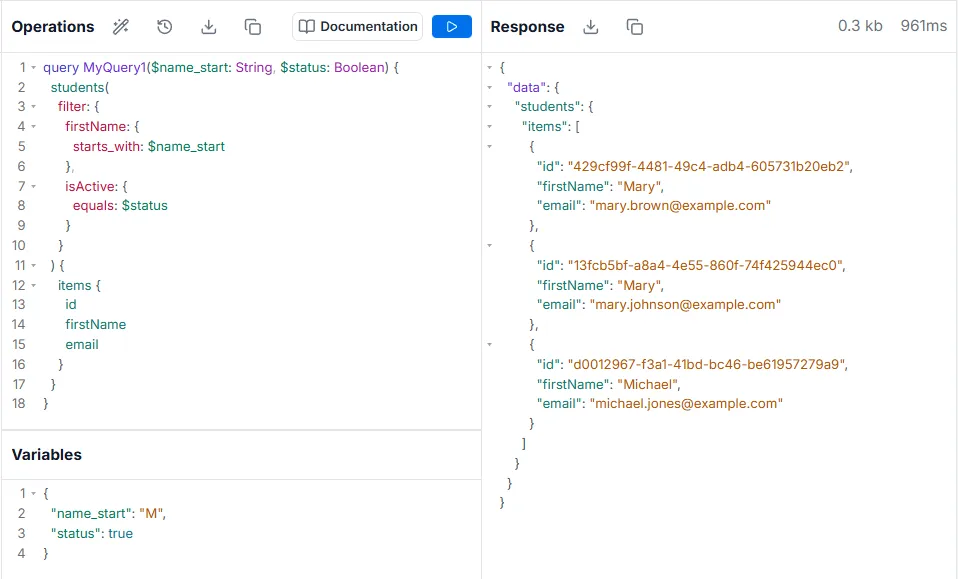
声明类型化变量
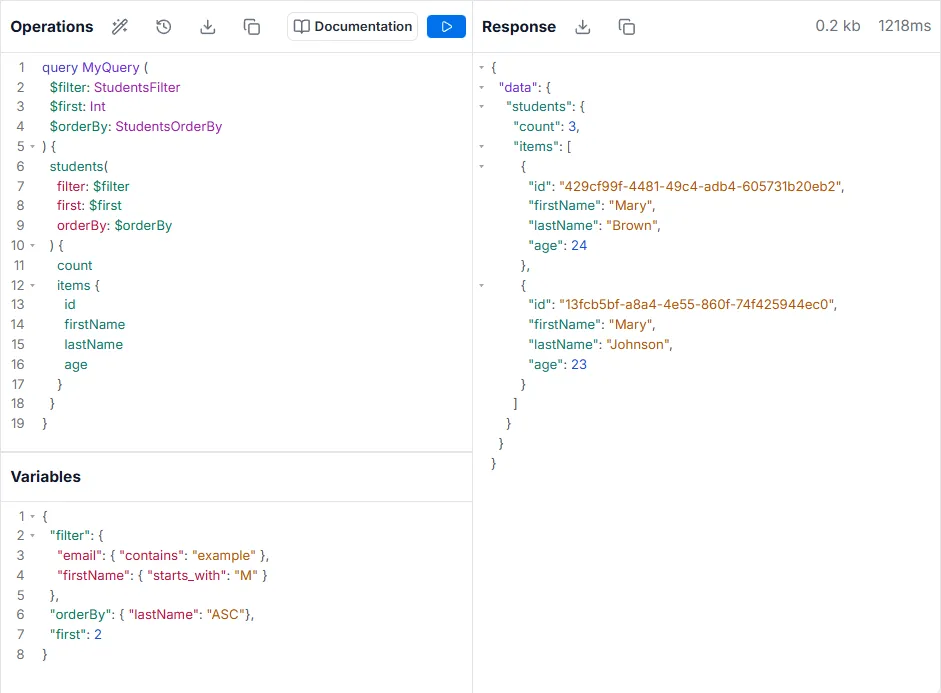
Section titled “声明类型化变量”变量不限于单个输入值。它们可以是具有给定工作区中任何声明类型的复杂对象——原生或自定义。这允许将整个过滤器、排序等作为变量动态传递。
GraphQL 变更
Section titled “GraphQL 变更”query MyQuery ( $filter: StudentsFilter $first: Int $orderBy: StudentsOrderBy) { students( filter: $filter first: $first orderBy: $orderBy ) { count items { id firstName lastName age } }}{ "filter": { "email": { "contains": "example" }, "firstName": { "starts_with": "M" } }, "orderBy": { "lastName": "ASC"}, "first": 2}